
The Moment Everything Clicked
You’ve spent three weeks building a product. Dozens of conversations about architecture, features, and deployment with ChatGPT. Each conversation added another piece to the puzzle.
Friday afternoon arrives. You’re thinking about scaling, so you open a new chat with Gemini:
“Given our current setup, should we use Redis or Memcached?”
Gemini responds:
“For your real-time chat application with Socket.io and PostgreSQL, Redis is the better fit. You’ll need pub/sub for typing indicators, and it aligns with the authentication flow you designed earlier.”
You didn’t re-explain your stack. You didn’t paste old conversations. Gemini already knew the context.
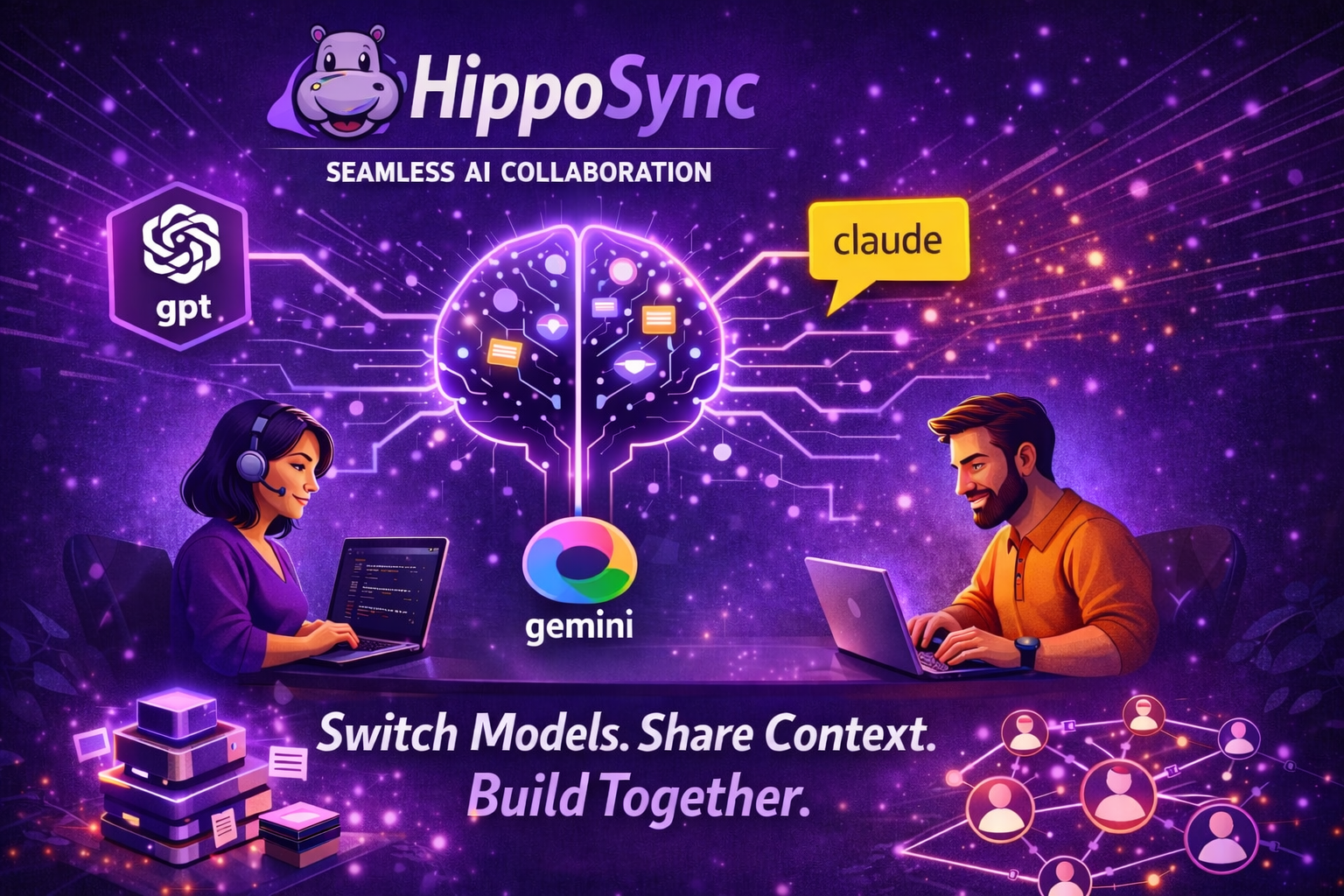
That’s HippoSync.
Not because of a larger context window, but because your past conversations are stored, indexed, and reused automatically wherever relevant.
HippoSync + MemMachine
HippoSync is powered by MemMachine, which provides a persistent memory layer for AI applications. It functions as the brain of the system while remaining completely invisible to users.
Instead of memory being locked inside individual AI providers, MemMachine serves as a shared memory layer that any AI model can access.
Conversations don’t vanish when a chat ends or when you switch models. They’re stored in durable context that carries forward.
This architecture enables:
- Seamless model/vendor switching
- Long-term memory
- Real collaboration across different AI models
- Continuous context without losing continuity
How MemMachine Works
MemMachine Architecture
Episodic Memory Storage Every message is stored with full context and timestamped conversation threads.
Semantic Fact Extraction AI automatically extracts key information and stores it as structured facts.
Vector Similarity Search Text is converted into embeddings using pgvector, allowing relevant memories to be retrieved through semantic similarity.
Graph Relationships Neo4j stores connections between concepts, linking related discussions across time.
Data Isolation Personal memories are separate from team memories, ensuring complete privacy.
Access Control Context can be:
- Restricted to one user
- Shared with a specific team
- Available organization-wide
The HippoSync User Experience
Getting Started Feels Instant
- Sign up with your email.
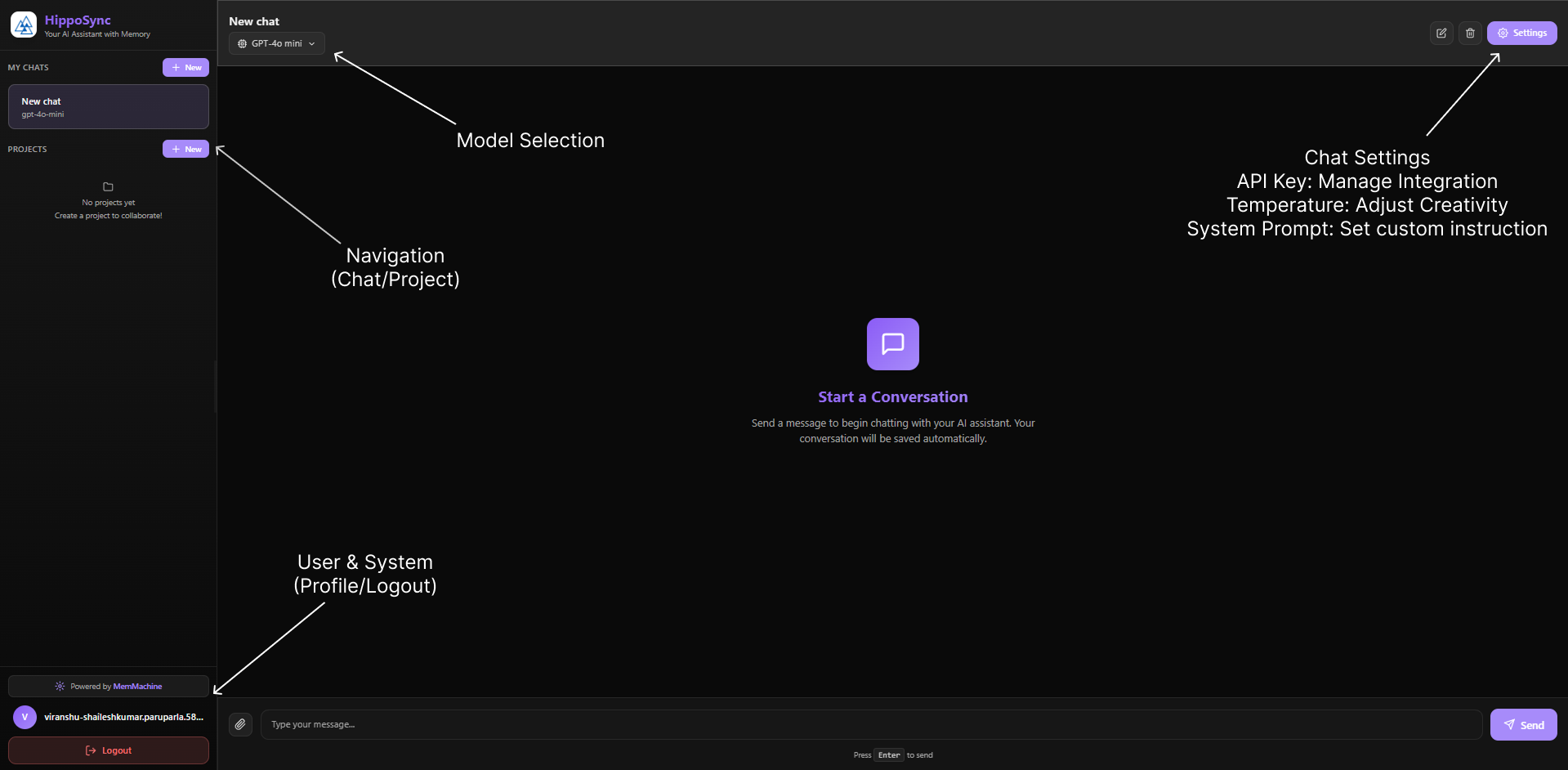
- In Settings, add the API keys for the models you want to use:
- OpenAI for GPT models
- Anthropic for Claude
- Google for Gemini
Your keys are encrypted with AES-256 before storage. HippoSync never stores them in plaintext, and you pay providers directly for usage.
That’s it. You’re live.
The Chat Interface
Switch AI Models Without Losing Context
How It Works
When you chat with any AI model, MemMachine stores your conversation.
When you switch to another model, MemMachine retrieves relevant context from previous conversations and provides it to the new model.
The result: the new model has access to everything you discussed earlier, even if those discussions happened with a different AI model.
There’s no need to restate your setup or repeat past decisions. Context carries forward automatically.
Real Workflow
Morning
Use GPT-5.2 for rapid code generation. It writes your authentication system with JWT tokens and session management. MemMachine stores this conversation.
Afternoon
Switch to Claude for security review. MemMachine retrieves the morning’s code discussion and provides it to Claude. Claude analyzes security without you explaining anything. MemMachine stores Claude’s recommendations.
Evening
Switch to Gemini for documentation. MemMachine provides both the code and security analysis. Gemini writes comprehensive documentation incorporating everything.
Why This Matters
You’re not locked into a single AI provider.
Use: - GPT for speed
- Claude for deep analysis
- Gemini for documentation or creativity
Each model builds on shared context from previous conversations.
There’s no manual context transfer and no wasted time re-explaining decisions.
Team Projects with Shared Memory
The Team Problem
Traditional AI chat looks like this:
- Sarah discusses architecture with GPT
- Mike asks implementation questions to Claude
- Lisa gets design advice from Gemini
Three separate conversations. Zero shared context.
The HippoSync Solution
Create a project workspace and invite your team using their registered email addresses.
All conversations across the team are stored in a shared MemMachine memory space.
MemMachine organizes memory at both the organization and project level:
- Each project has its own isolated memory space
- Everything lives within your organization
- No cross-project confusion
When Sarah discusses architecture, that context is instantly available to Mike.
When Mike makes implementation decisions, Lisa’s design conversations automatically incorporate that technical reality.
Instead of isolated chats, the entire team operates from a single, continuously evolving source of truth.
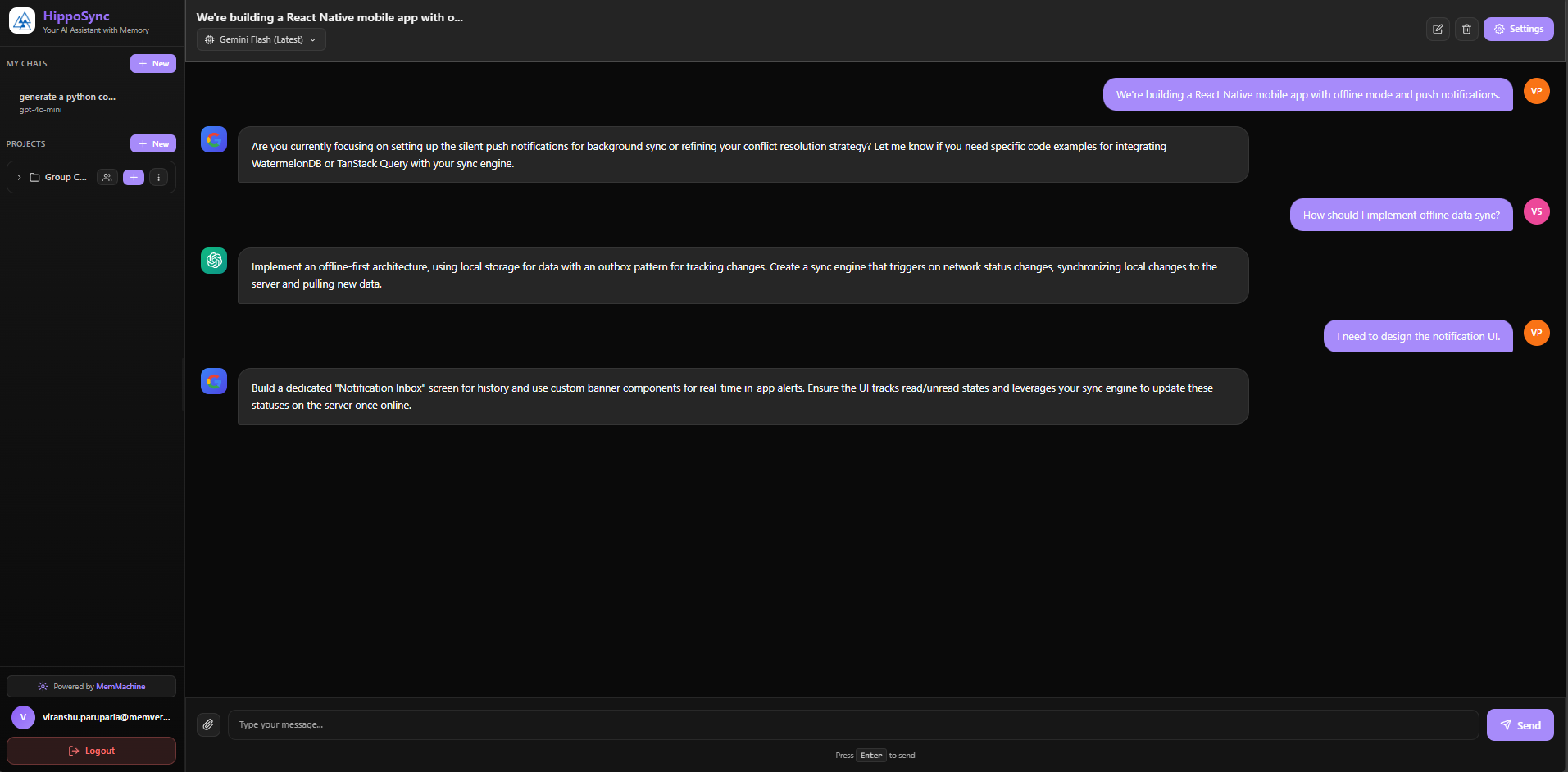
Team Example
Sarah uses Claude:
“We’re building a React Native mobile app with offline mode and push notifications.”
MemMachine stores Sarah’s architecture in the project memory.
Mike uses GPT-5.2:
“How should I implement offline data sync?”
MemMachine retrieves Sarah’s architecture.
GPT-5.2 responds:
“For your React Native app with offline mode, use SQLite for local storage…”
Lisa uses Gemini:
“I need to design the notification UI.”
MemMachine provides both Sarah’s push notification requirements and Mike’s implementation approach.
Gemini designs UI that matches the technical architecture.
Project Advantages
Cross-Model Collaboration Team members use their preferred AI models while sharing the same project memory through MemMachine.
Zero Onboarding Time New team members instantly understand past decisions by reviewing shared conversation history.
No Information Silos Architecture, implementation, and design knowledge is automatically shared across the team.
Consistent Answers All AI models stay aligned by accessing the same MemMachine memory.
Async Collaboration Team members contribute across time zones without losing context.
Persistent Project Memory Decisions and insights accumulate over time instead of disappearing after each chat.
Click Here to Get Started
Many models. Many sessions. Many users. One context.
Start building on every conversation.